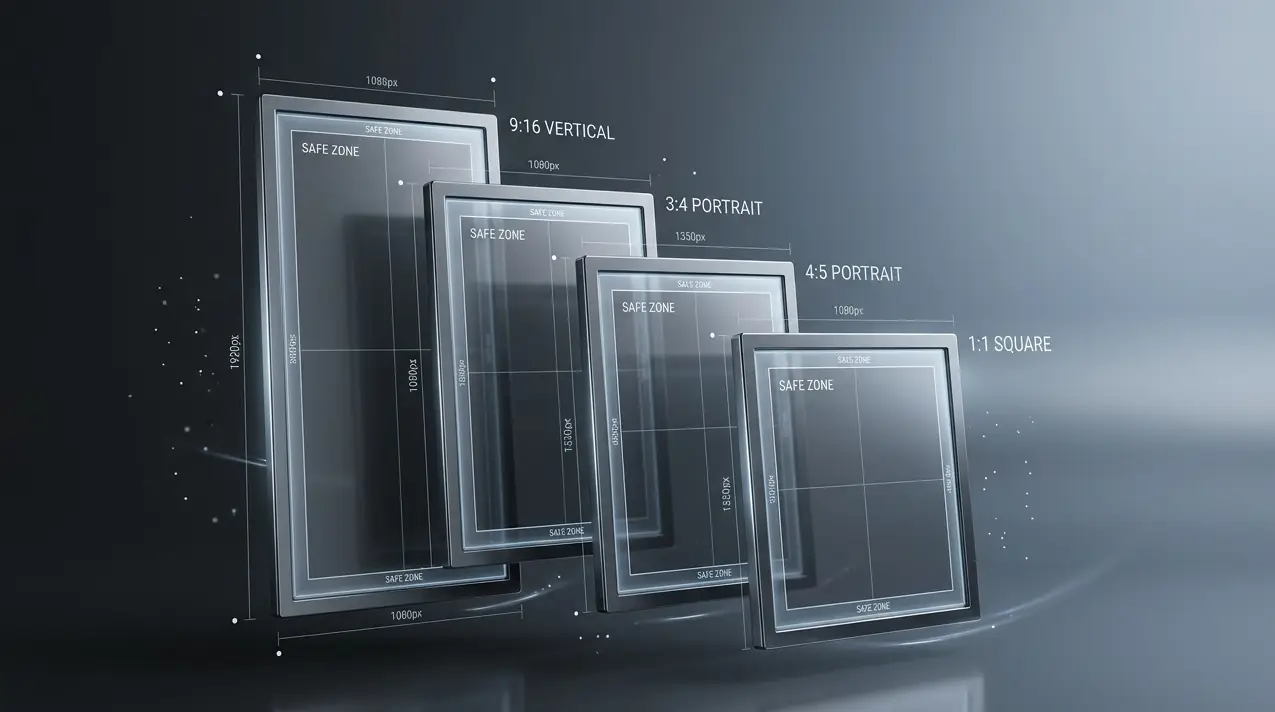
Every Instagram image dimension for 2026 in one page. Feed posts, Stories, Reels, carousels, and profile photos. Updated for the 4:5 grid changes, Story safe zones, and current file size limits.
Instagram image sizes cheat sheet
| Format | Dimensions (px) | Aspect ratio | Max file size | Best for |
|---|---|---|---|---|
| Portrait (recommended) | 1080 × 1350 | 4:5 | 8 MB | Feed visibility |
| Portrait (3:4) | 1080 × 1440 | 3:4 | 8 MB | Newer phones, native format |
| Square | 1080 × 1080 | 1:1 | 8 MB | Classic grid consistency |
| Landscape | 1080 × 566 | 1.91:1 | 8 MB | Wide shots only |
| Story / Reels | 1080 × 1920 | 9:16 | 30 MB | Full-screen vertical |
| Carousel slide | 1080 × 1350 or 1080 × 1080 | 4:5 or 1:1 | 8 MB per slide | Consistent across slides |
| Profile photo | 320 × 320 min | 1:1 | n/a | Upload larger for sharpness |
Best Instagram post size in 2026
Why 4:5 portrait is the best Instagram post size
Portrait (4:5) posts take up roughly 35% more vertical screen space than square posts. That extra real estate directly affects performance:
- 35% more feed visibility, because the post occupies more screen as users scroll (Buffer, 2026)
- Higher dwell time. Users stop longer on portrait posts, which signals value to Instagram's algorithm
- Better save and share rates. More visible content gets saved to collections and shared to Stories (imresizer, 2026)
- 2026 grid update: Instagram's profile grid now previews posts at 3:4 — the left and right sides of a 4:5 post are slightly trimmed in the thumbnail, but feed display is unchanged
For the full case for 4:5 over square and landscape, and when each format makes sense, see best aspect ratio for Instagram posts in 2026.
Default to 1080 × 1350 px (4:5 portrait) for all feed posts.
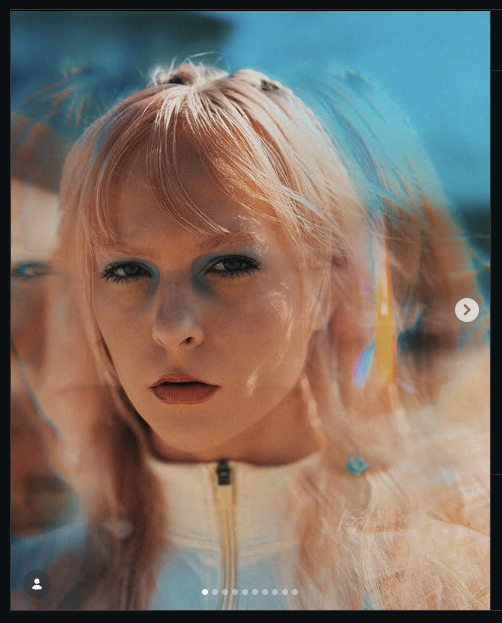
Post by @sherman_trotz
Instagram square post size (1:1)
- Dimensions: 1080 × 1080 pixels
- Aspect ratio: 1:1
- When to use: product photos, quotes, branded graphics, carousel consistency
Square displays predictably across carousels. Use it when portrait doesn't fit your content or when brand consistency requires uniform slides.
Instagram landscape post size (1.91:1)
- Dimensions: 1080 × 566 pixels
- Aspect ratio: 1.91:1
- When to use: panoramas, wide product shots, horizontal imagery
Landscape uses the least feed space, roughly 35% less visibility than portrait. Only use it when your image is naturally wide. Never crop a vertical image to landscape. If Instagram is trimming a wide photo at upload, how to post landscape photos on Instagram without cropping covers the fixes; for ultra-wide shots, see how to post panorama photos on Instagram.
Instagram Story size 2026
Dimensions for Stories and Reels
- Dimensions: 1080 × 1920 pixels
- Aspect ratio: 9:16
Both Stories and Reels use the same full-screen vertical dimensions. This is the standard Instagram story size across all devices in 2026.
Instagram Story safe zone
Instagram overlays UI elements (profile icon, reply bar, swipe links) at the top and bottom of Stories. The safe zone for critical content is the central 1080 × 1420 px area.
Safe zone breakdown:
- Top 250 px: profile icon and username overlay
- Bottom 280 px: reply bar, Like button, and swipe-up/Send message overlay
- Central 1080 × 1420 px: clear area for all critical content
This safe zone applies to both Stories and Reels cover images. Place all text, faces, logos, and CTAs within the central area so they aren't obscured by Instagram's UI. The Instagram Story dimensions 2026 guide has the full safe zone measurements, a diagram, and file limits.
Instagram carousel slide size
- Dimensions per slide: 1080 × 1350 px (recommended) or 1080 × 1080 px
- Max slides: 20 (increased from 10 in 2024/2025)
- Key rule: all slides inherit the first slide's aspect ratio. Instagram applies it to every subsequent slide.
Choose your first slide ratio carefully. It locks the entire carousel. If you upload a 4:5 portrait first, every following slide is cropped or padded to 4:5. Mixed-ratio originals need pre-processing before upload. The Instagram carousel image sizes guide covers the mixed-ratio behavior in detail; to spread one wide photo across several slides, see how to split a photo into an Instagram carousel.
Instagram profile photo size
- Upload size: 320 × 320 pixels minimum (400 × 400 recommended)
- Display size: ~110 × 110 pixels (circular crop)
- Upload at 800 × 800 or 1080 × 1080. Instagram compresses on ingest, and a larger source file retains sharpness at the smaller display size.
Instagram image size by engagement (2026 data)
| Format | Engagement level | Feed visibility | Best for |
|---|---|---|---|
| 4:5 Portrait | Highest | +35% | Feed posts, carousels |
| 1:1 Square | Medium | Baseline | Product photos, carousel slides |
| 1.91:1 Landscape | Lowest | −35% | Wide shots only |
4:5 portrait posts see higher save rates and Story shares compared to square and landscape (Buffer, 2026; imresizer, 2026). Instagram's algorithm uses dwell time and saves as ranking signals, so larger posts hold attention longer.
Instagram image compression settings
Correct dimensions mean nothing if compression destroys quality.
- Upload at exactly 1080 px wide. Wider uploads get downscaled; smaller ones get upscaled and look soft.
- Use JPG at 85-90% quality. Let Instagram handle final compression.
- Use PNG for graphics with text. Sharper edges, but keep the file under 8 MB.
- Avoid HEIC. Instagram's handling is inconsistent across devices.
- Use sRGB color profile. Required for accurate color rendering on all screens.
Why that 1080 px width matters so much, and the order to apply these settings in, is covered in how to upload the highest quality photos to Instagram. For the exact values in Lightroom, Photoshop and phone apps, see the best Instagram export settings.
AspectFit handles this workflow client-side: upload your original image, select the target format, and export a ready-to-post file with correct dimensions and compression applied via browser-based HTML5 Canvas processing. Your images never leave your device.
The 2026 Instagram grid update
Instagram now previews your profile grid at 3:4 (1080 × 1440 px), showing more of each post vertically. Upload requirements are unchanged; still use 4:5 (1080 × 1350 px). Note: because the grid thumbnail is 3:4, the left and right sides of a 4:5 portrait post are slightly trimmed in the profile view — this does not affect feed display.
This update does not change the recommended upload size. Continue exporting at 1080 × 1350 px for feed posts.
FAQ
What is the best Instagram post size in 2026?
1080 × 1350 pixels (4:5 portrait). It takes up roughly 35% more vertical feed space than square posts, which correlates with higher engagement rates. This is the single most effective size for feed visibility.
What size is an Instagram Story in 2026?
1080 × 1920 pixels (9:16 aspect ratio). Keep critical content within the central 1080 × 1420 px safe zone. The top 250 px and bottom 280 px are covered by Instagram's UI overlays.
What is the Instagram carousel slide size?
Each carousel slide should be 1080 × 1350 px (4:5 portrait) for maximum feed visibility. All slides inherit the first slide's aspect ratio. Instagram supports up to 20 slides per carousel.
Can I mix aspect ratios in a carousel?
No. Instagram locks the aspect ratio of the entire carousel to the first slide. Every subsequent slide is cropped or padded to match, so a landscape slide after a portrait slide will lose significant content at the edges.
The fix: export all carousel slides at the same ratio before uploading. If your originals are mixed (some portrait, some square, some wide), AspectFit lets you batch-process them to a single target ratio (4:5 recommended) using smart padding instead of cropping. Your full image is preserved; Instagram gets consistent slides.
What is the maximum file size for Instagram?
- Feed posts: 8 MB (JPG or PNG)
- Stories (image): 30 MB
- Stories/Reels (video): 4 GB
- Profile photo: 10 MB
Does Instagram accept 3:4 aspect ratio?
Yes. Instagram natively supports 3:4 (1080 × 1440 px) as of May 2025. However, 4:5 (1080 × 1350 px) remains the recommended format for feed engagement optimization, as it has the longest track record and the widest support across all feed placements.
How do I resize images to the correct Instagram size?
Scale your image to exactly 1080 px wide for portrait or 1080 px tall for landscape. Use AspectFit's free Instagram image resizer to apply smart padding (instead of cropping) and batch-process multiple images at once. Export as JPG at 85-90% quality, or PNG for graphics with text. All processing happens in-browser, so nothing is uploaded to a server.
What is the Instagram safe zone for Stories?
The central 1080 × 1420 pixels. This area is free from Instagram's UI overlays (profile icon at top, reply bar at bottom). Keep all critical content within this zone: faces, text, logos, CTAs.
Does Instagram resize my image if I upload the wrong size?
Yes. Instagram centers feed posts and adds gray bars if the aspect ratio doesn't match expected dimensions. For Stories, images are scaled to fill the 9:16 frame, which can crop edges. Upload at 1080 × 1350 px for feed posts and 1080 × 1920 px for Stories to avoid unwanted cropping or padding.
Can I use portrait images in a carousel?
Yes, and you should. Use 4:5 portrait (1080 × 1350 px) to maximize visibility. Set it as the first slide to lock the aspect ratio for the entire carousel. Portrait carousels get the same +35% feed visibility advantage as single portrait posts.
What Instagram aspect ratio should I use in 2026?
4:5 portrait (1080 × 1350 px) for feed posts and carousels. 9:16 (1080 × 1920 px) for Stories and Reels. Default to these two ratios for all Instagram content in 2026.
Resize images for Instagram without cropping
AspectFit processes your images to exact Instagram dimensions using smart padding instead of cropping. Select your target format (4:5, 1:1, 9:16), and export ready-to-post files. All processing runs client-side via HTML5 Canvas. Your photos stay on your device.
To understand which photos get cropped and why, read why Instagram crops photos and how to fix it. For a comparison of resizers that never upload your files, see the best free tools to resize images for Instagram.
Updated April 2026